Explosion (Grenade)
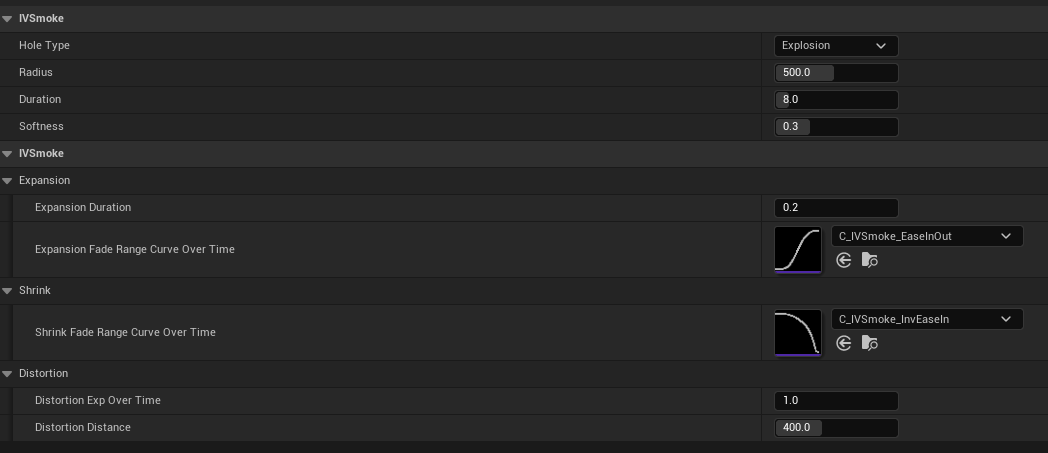
- HoleType: Type of hole
- Radius: Hole size
- Duration: Hole lifetime (seconds)
- Softness: Edge softness of the hole (0–1)
- Expansion Duration: Expansion time when the grenade explodes (seconds)
- Expansion Fade Range Curve Over Time: Range curve over expansion time (Expansion Duration)
- x(0–1): Expansion range × Radius
- y(0–1): Time × Expansion Duration
- Shrink Fade Range Curve Over Time: Range curve over shrink time (Duration − Expansion Duration)
- x(0–1): Expansion range× Radius
- y(0–1): Time × (Duration − Expansion Duration)
- Distortion Exp Over Time: Exponent value used in distortion calculation over time
- Distortion Distance: Maximum distortion distance
Penetration (Bullet)
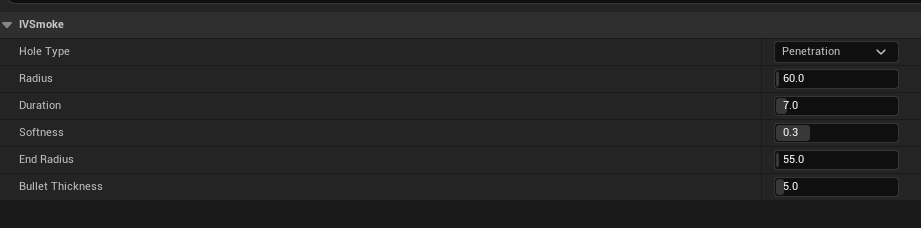
- HoleType: Type of hole
- Radius: Hole size at the initial collision point with the smoke
- Duration: Hole lifetime (seconds)
- Softness: Edge softness of the hole (0–1)
- EndRadius: Hole size at the exit point where the bullet leaves
- The hole size at each position interpolates linearly from Radius to EndRadius
- Bullet Thickness: Actual physical collision size of the bullet
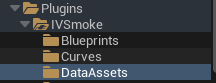
Demo preset path : Plugins → IVSmoke → DataAssets
To create a new Preset, follow these steps
Create
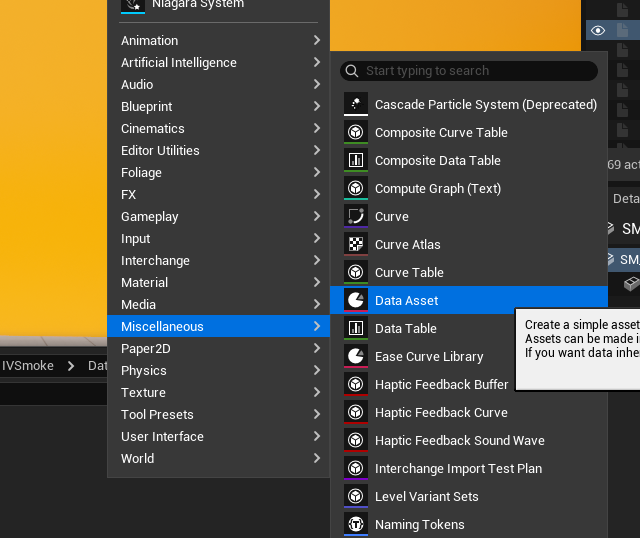
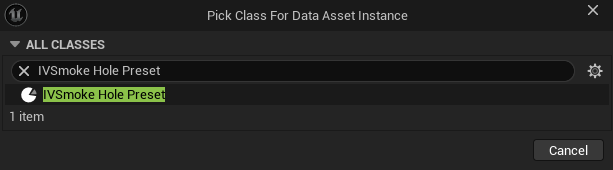
Content Drawer → Right-click → Miscellaneous → Data Asset → Select [IVSmoke Hole Preset]
Usage
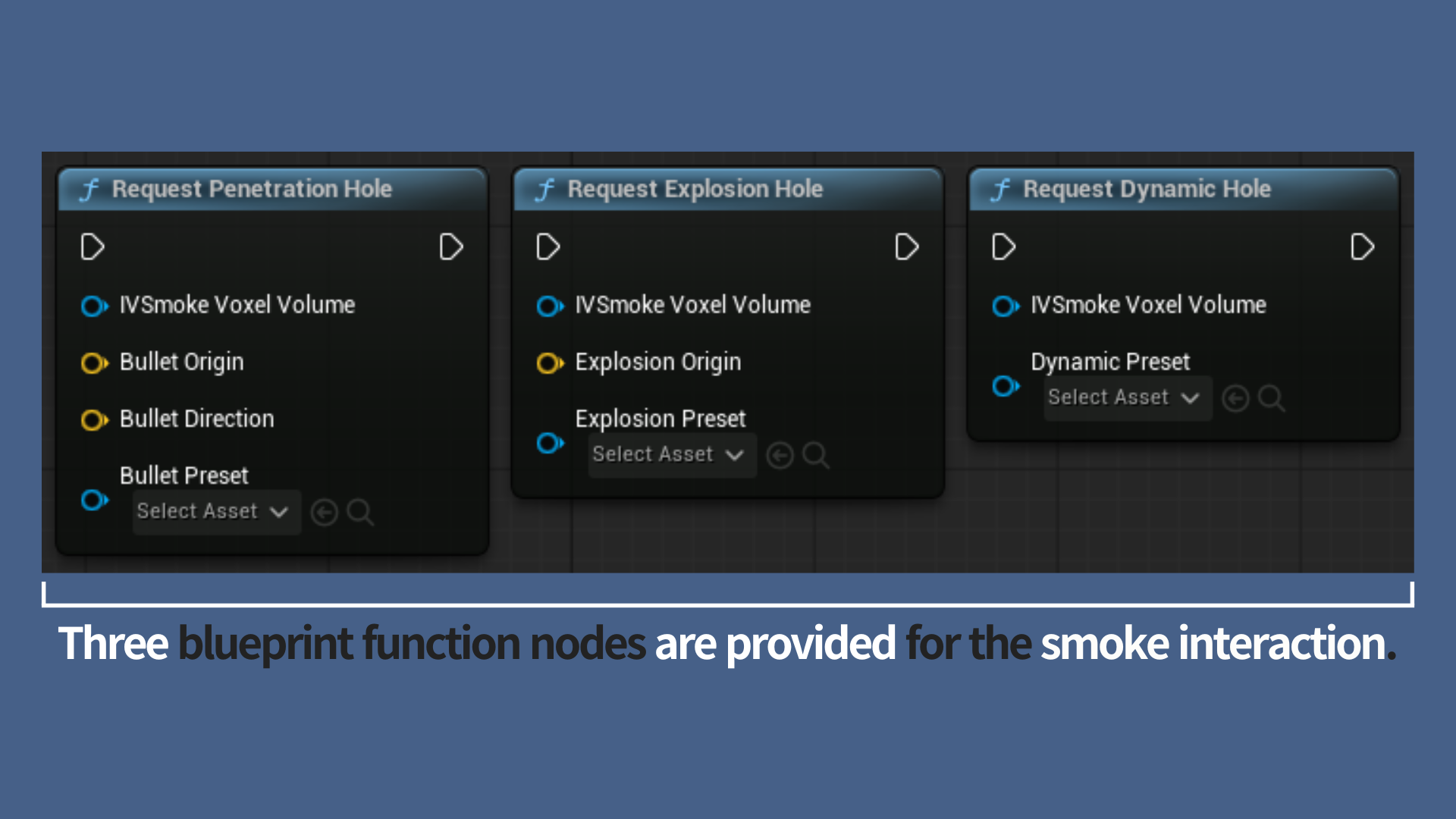
<strong>Select the Right Interaction Node</strong>
Choose the API node that best aligns with the specific physical behavior you intend to simulate
- Penetration (Request Penetration Hole): Used for simulating high-speed, linear trajectories. This is ideal for bullet paths, railgun shots, or any projectile that pierces through smoke in a straight line.
- Explosion (Request Explosion Hole): Designed for creating spherical void areas. Use this to represent the instantaneous impact of grenades, mortar shells, or any point-based radial blast.
- Dynamic (Request Dynamic Hole): Tailored for real-time tracking. This node allows the smoke void to follow a moving subject—such as a character or vehicle—maintaining a continuous interaction as the actor navigates through the volume.
Before STARTING, Add UIVSmokeHoleRequestComponent!
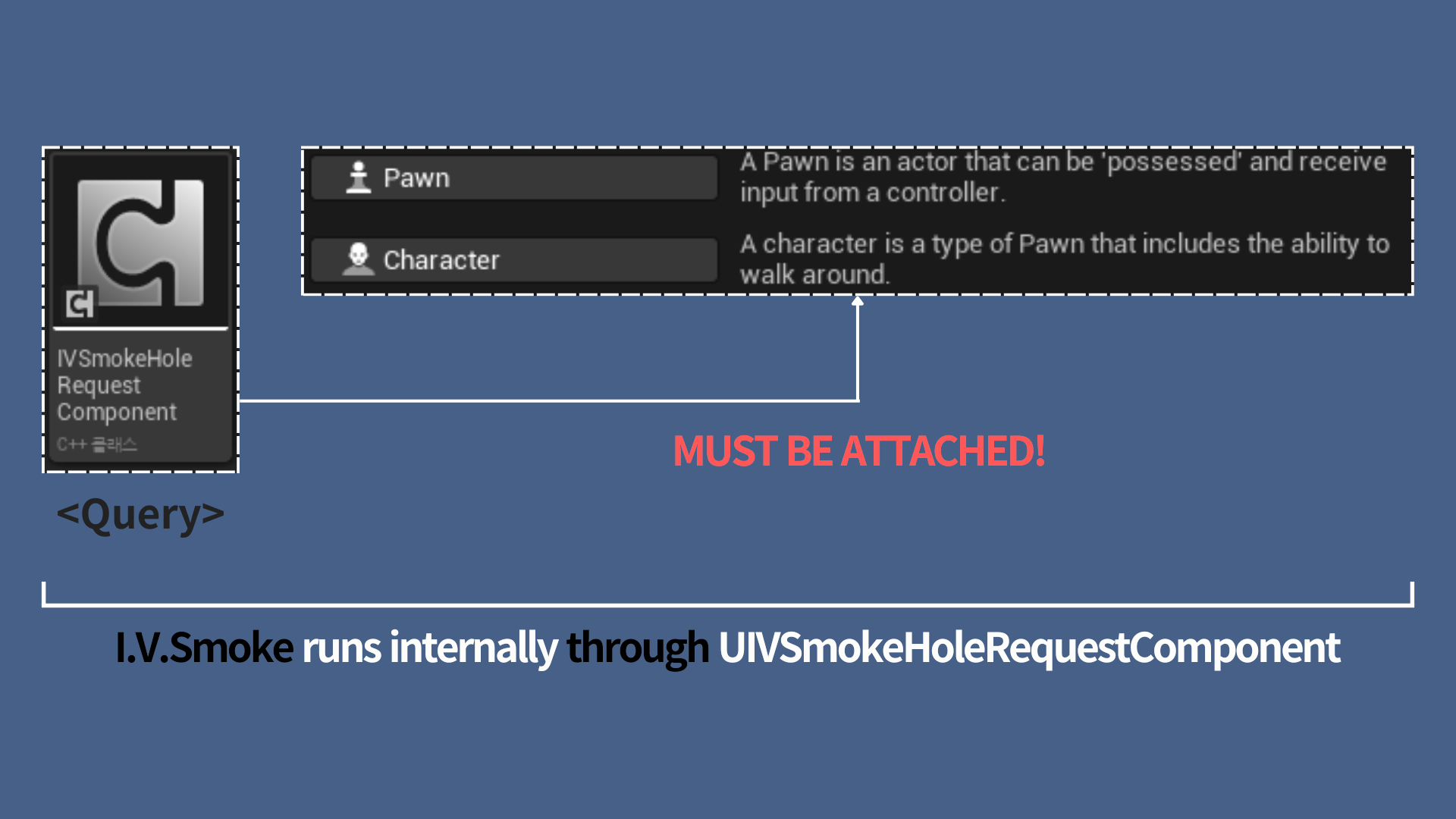
Before utilizing any Request Nodes, ensure that the **UIVSmokeHoleRequestComponent** has been added to the subject Character or Pawn class actor.
- Role: This component facilitates the interaction queries between the actor and the smoke volume.
- Dependency: It is a mandatory requirement if you are using an **
AIVSmokeVoxelVolume** actor equipped with the **UIVSmokeHoleGeneratorComponent** to generate smoke holes.
Case A. Request Penetration Hole
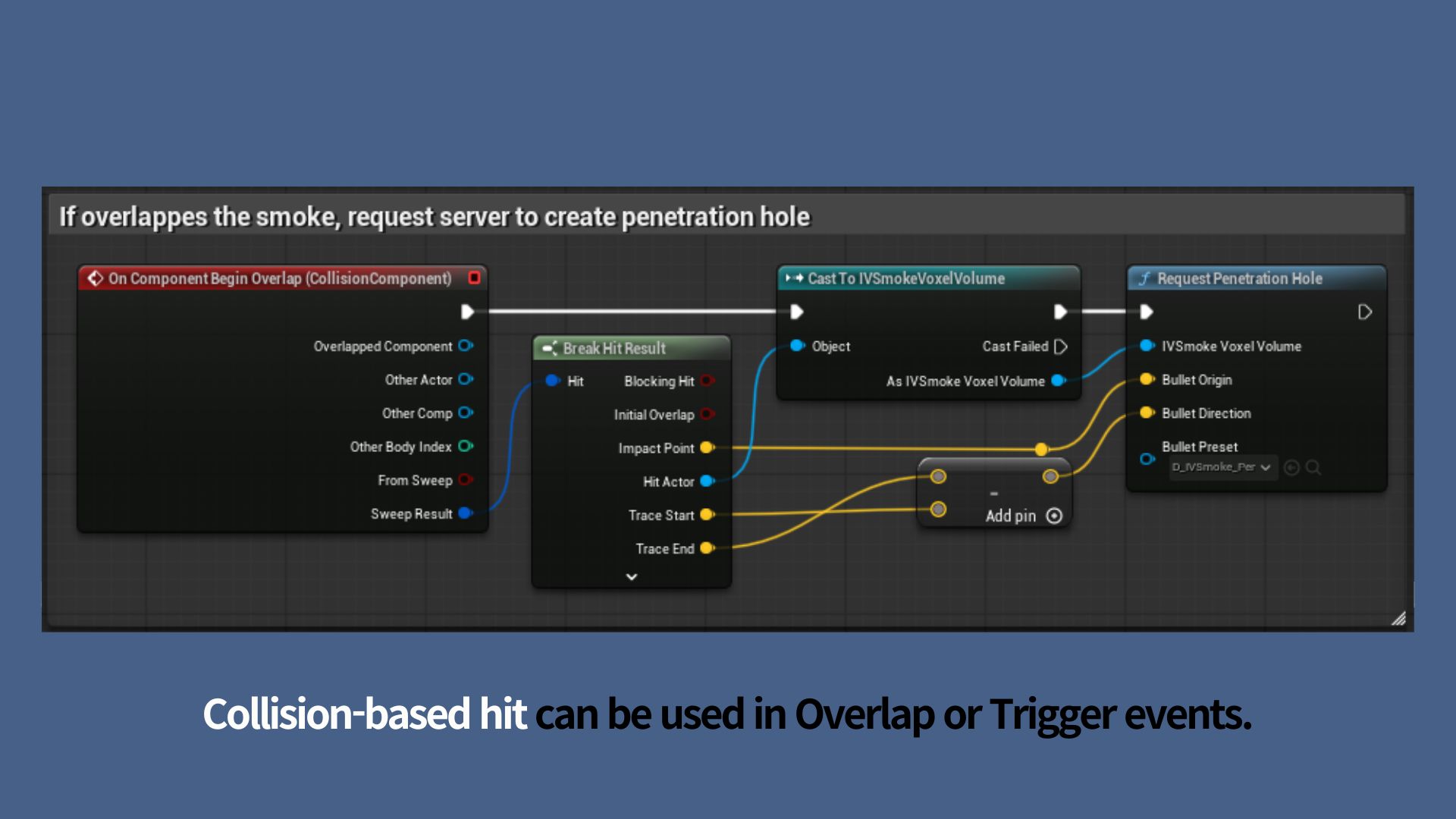
This node is used to simulate the trajectories of high-speed projectiles that pierce through smoke in a straight line, such as bullets or railgun rounds.
<strong>Execution Timing</strong>
Trigger this node when physical detection is confirmed—specifically during events such as Hit, Overlap, or Destruction of the projectile object.
| Pin Name | Connection Value & Method | Notes |
|---|---|---|
| IVSmokeVoxelVolume | Other Actor from Overlap/Hit | Connect the IVSmokeVoxelVolume belonging to the collided smoke volume. |
| Bullet Origin | Actor's World Location | The world coordinates where penetration begins. This defines the start point for the linear trajectory calculation. |
| Bullet Direction | Actor's Forward Vector | A normalized unit vector representing the projectile's heading. It is used in conjunction with the Origin to calculate the path through the smoke. |
| Bullet Preset | Dropdown Menu | You must assign an IVSmokeHolePreset data asset. Note: The Preset type should be set to "Explosion." |
Case B. Request Explosion Hole
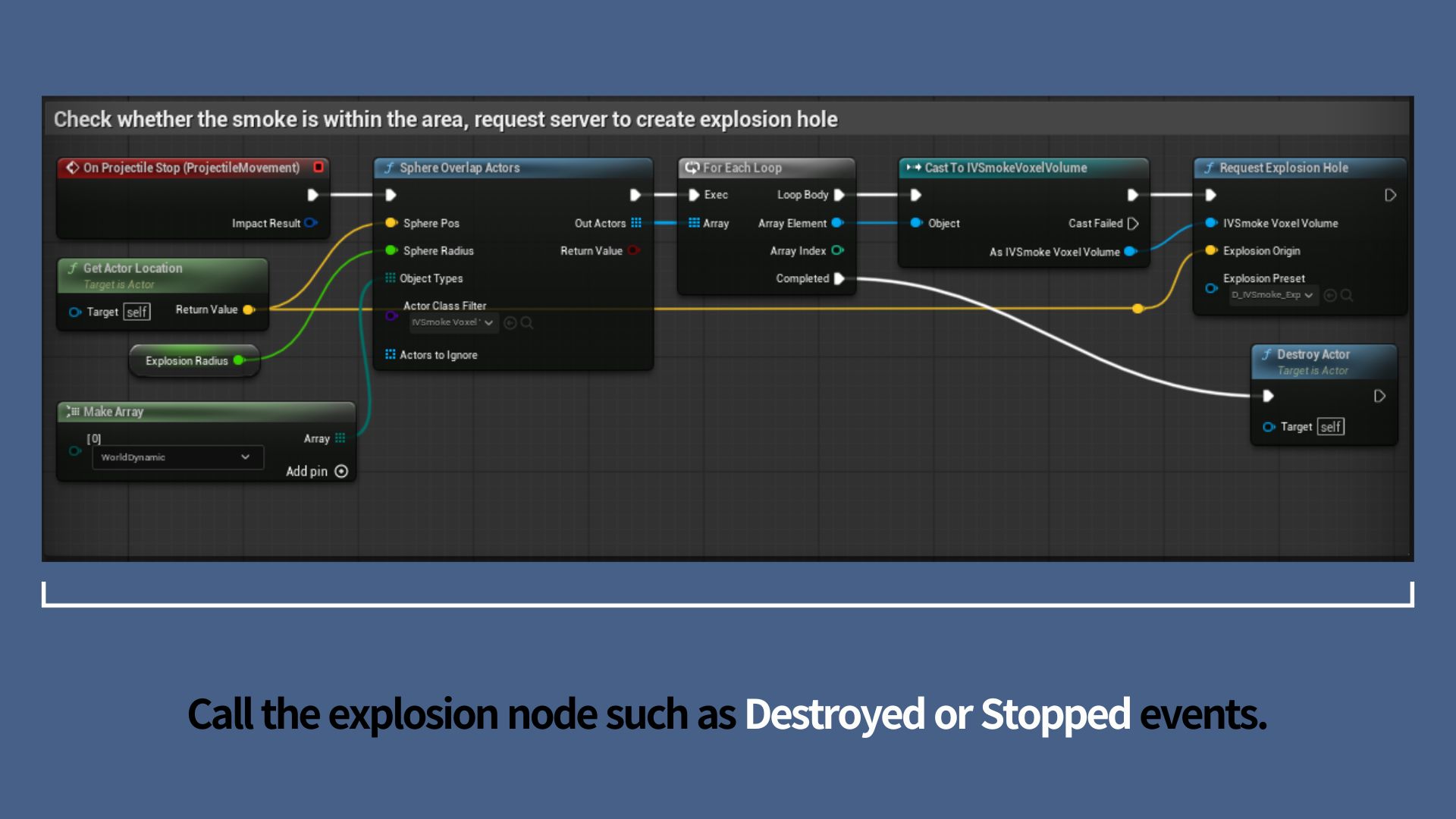
This node is used to simulate spherical (radial) void areas in smoke, typically caused by explosive devices like grenades, C4, or artillery shells.
<strong>Execution Timing</strong>
Trigger this node at the moment the explosion is finalized. This is usually during events such as Hit (OnComponentHit), Overlap (OnComponentBeginOverlap), or when the projectile actor is Destroyed.
| Pin Name | Connection Value & Method | Notes |
|---|---|---|
| IVSmokeVoxelVolume | Other Actor from Overlap/Hit | Connect the IVSmokeVoxelVolume of the smoke volume that was hit. |
| Explosion Origin | Actor's World Location | Specifies the center of the explosion. Use the object's current world coordinates to define the axis of the spherical clearing. |
| Explosion Preset | Dropdown Menu | You must assign a valid IVSmokeHolePreset data asset. The Preset type must be set to "Explosion." |
Case C. Request Dynamic Hole
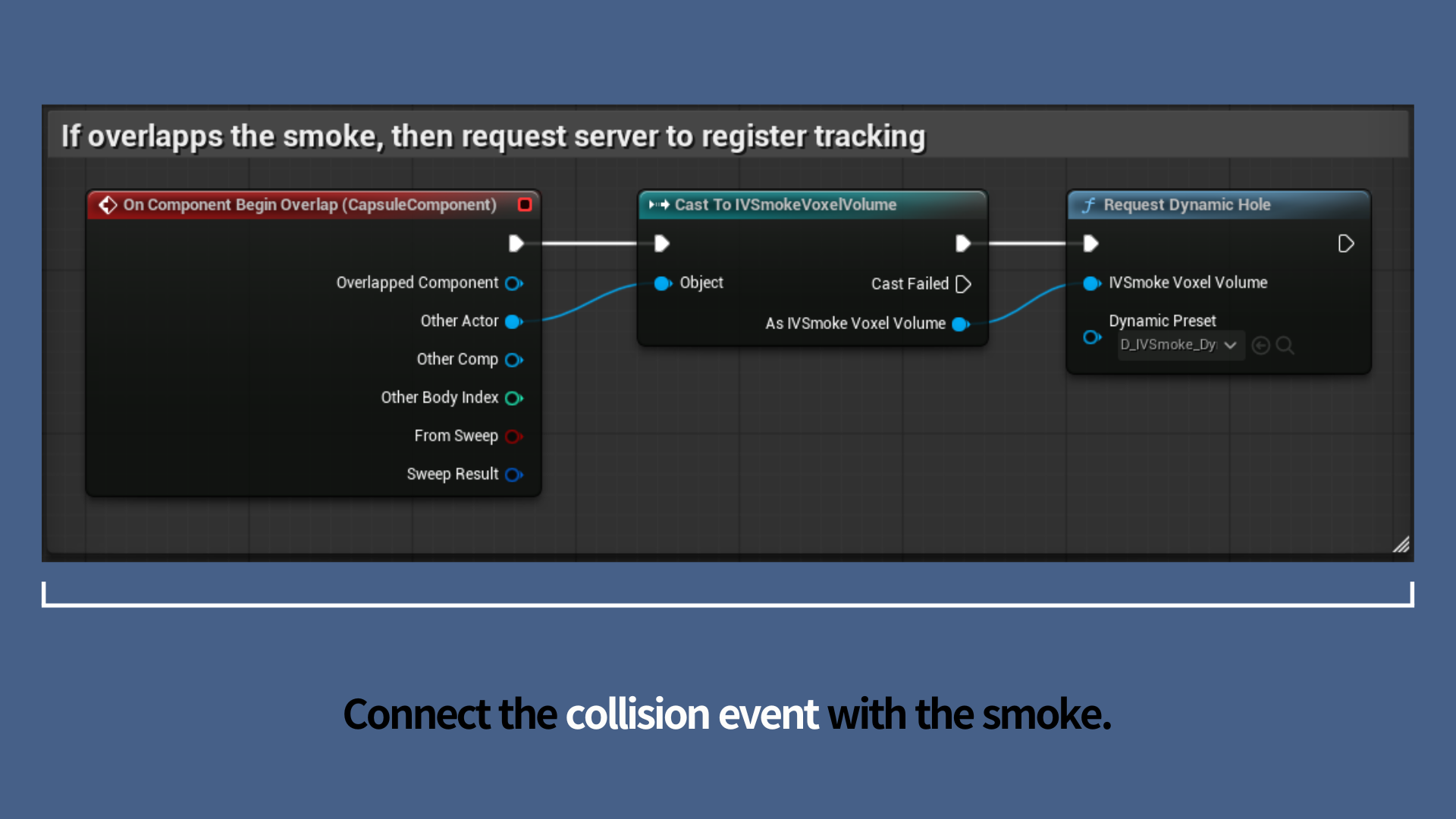
Use this node when you need to dynamically clear smoke or maintain a hole in real-time based on the movement path of an object, such as a character or a vehicle.
<strong>Execution Timing</strong>
This node may be triggered by the **OnComponentBeginOverlap** or **Trigger** event from the actor's CollisionComponent. Once triggered, the system will automatically track the actor and manage the smoke interaction.
| Pin Name | Connection Value & Method | Notes |
|---|---|---|
| IVSmokeVoxelVolume | Other Actor from Overlap | Connect the IVSmokeVoxelVolume belonging to the smoke volume the actor has entered. |
| Dynamic Preset | Dropdown Menu | Assign the IVSmokeHolePreset data asset. The Preset type must be set to "Dynamic." |
Copyright (c) 2026, Team SDB. All rights reserved.